A friend of mine ran a small upholstery business for years. Everything on paper. Phone calls. A notebook sitting by the register. Business was fine, honestly, until a competitor with a decent website and online booking started pulling her regulars away, one by one. Nothing about her actual craft got worse. She just became harder to find. Harder to book than the guy three streets over. That gap, more than anything fancy, is usually where small businesses actually lose ground.
Starting and growing a small business takes a lot more than a good product or service, obviously. Owners manage customers. Organize daily operations. Keep systems running. Try to stand out somewhere rarely short on competition. As more of that shifts online, having some kind of real digital foundation stopped being optional a while back.
Digital transformation was never really about adopting every new tool that shows up, though. Or dumping money into some complicated system nobody fully understands. For most small businesses, real progress starts with actually understanding their own needs. Spotting recurring problems. Making practical fixes instead of chasing whatever’s trending.
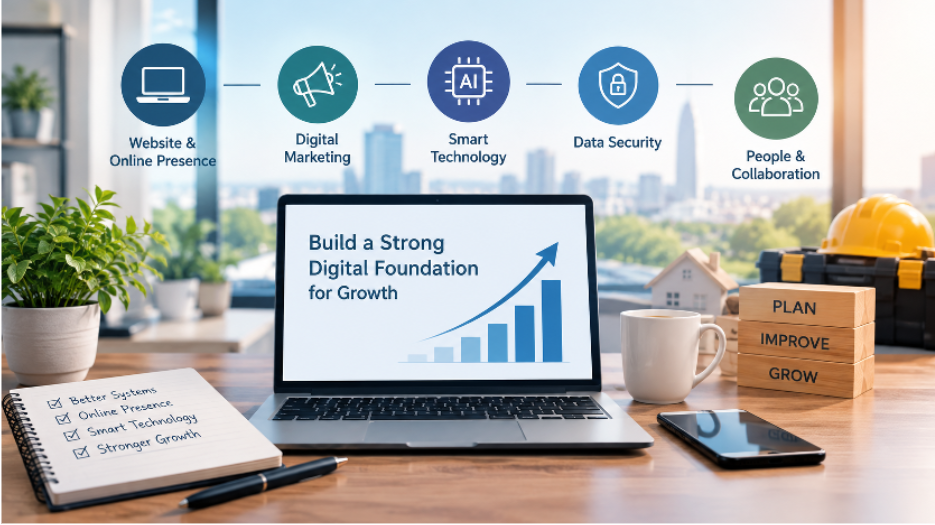
A well-planned digital foundation helps a business work more efficiently, communicate a lot better, and stay ready for whatever shows up next. From a visible online presence to the physical infrastructure holding daily operations together, several connected pieces feed into growth that actually sticks.
1. Start With Clear Business Goals
Before spending on new technology, owners should be honest about what they’re actually trying to achieve. Genuinely honest, not just going through the motions. A company chasing more customers has completely different priorities than one trying to cut administrative work or tighten up service delivery.
Clear goals make it a lot easier to figure out which digital tools are actually worth considering. A business fielding constant customer enquiries might genuinely benefit from a better contact system. Another company drowning in repeated manual tasks might focus on automation instead.
Worth asking a few honest questions here. Which activities eat the most time. Where do customers hit delays or confusion. Which processes need constant correcting. What information does the business actually need to make a better call.
The answers shape a practical improvement plan. Instead of changing everything simultaneously, which rarely works, businesses can prioritize a handful of areas where improvement would actually be noticeable, fast.
2. Build a Website That Supports Customer Needs
A website’s often the first place potential customers land while researching a company. It should explain what the business offers. Who it actually serves. How someone can get in touch without hunting for ten minutes.
A useful website doesn’t need to be complicated. Honestly, most aren’t supposed to be. Clear navigation, readable content, accurate contact info, and a design that actually works on a phone go a long way toward making the whole experience feel less like a chore.
Worth thinking about what action visitors are actually meant to take too. Depending on the industry, that might mean requesting a quote, booking an appointment, buying something, or reaching support directly, without three redirects.
Regular maintenance matters just as much as the initial build. Outdated info, broken links, confusing layouts, all of it creates friction nobody needs. Reviewing the site periodically keeps it actually reflecting the business as it exists today. Not two years ago, frozen in time.
3. Make Digital Marketing Part of the Growth Plan
Having a website is really just one piece of an online presence. Customers still need a way to actually discover the business. Understand why its products or services matter to them specifically, not generically.
Digital marketing covers search optimization, useful content, email, social media, all of it stacked together. The right mix depends on the actual audience, available resources, and what the business is trying to accomplish, genuinely.
For companies working with tight budgets, consistency usually beats trying to run every channel at once and doing all of them poorly. A business might start by publishing genuinely helpful articles, tightening up important pages, keeping its business info accurate across the board, everywhere it appears.
Understand the Role of Search Engine Optimisation
Search engine optimization helps businesses make their site easier for both search engines and actual people to understand. Covers page structure. Useful content. Mobile accessibility. Making sure important pages can actually be found in the first place, not buried three clicks deep.
For new companies, SEO for startups works best as a gradual process. Not a one-time campaign that wraps up in a month and gets forgotten. The first steps usually involve researching what potential customers are actually searching for, building clear service pages, publishing content that answers real, common questions people actually have.
A startup selling specialist equipment, for instance, might create guides explaining how the product works. What buyers should think through before purchasing. How to maintain it afterward. Content like that helps visitors make an informed decision while giving the business a real reason to build a more useful online presence over time.
Measuring progress with meaningful indicators matters here too, genuinely. Relevant organic traffic, actual enquiries, conversions, engagement on the pages that matter, all of it tells a fuller story than search ranking alone ever could on its own.
4. Choose Technology That Solves Real Problems
Businesses run into an overwhelming number of software options. CRM platforms, accounting tools, project management systems, the list just keeps going. These products offer genuinely useful capabilities. Adopting too many at once, though, tends to just create confusion instead of progress, fast.
The starting point should always be the actual business process. Not the software itself, however shiny the demo looked in that sales call.
A company struggling with delayed customer communication probably needs a shared system for tracking enquiries. A team juggling several projects might benefit from one central place to organize deadlines and responsibility. A business drowning in repeated reporting could find real value automating parts of that workflow specifically, not everything at once.
Before picking a tool, worth weighing cost, ease of use, compatibility with what’s already running, and how much training it’ll actually take to get people using it properly. Not just competently. Properly.
Involving employees in the selection process helps too, genuinely. People doing the daily work often spot practical problems that never show up during a polished software demo built to impress, not inform.
5. Plan for AI and Automation Carefully
AI’s becoming part of a lot of business workflows now. Adopting it successfully takes more than just buying a new platform and hoping for the best, though. Companies need to understand where it might actually add value, what information it’ll rely on, and how its output actually gets reviewed before anyone trusts it blindly.
Possible uses include summarizing documents, organizing information, helping with customer enquiries, spotting patterns buried in business data nobody had time to dig through manually. Whether any of that actually fits depends heavily on the task itself and what happens if the result turns out wrong.
Businesses do better starting with a clearly defined problem and a manageable pilot. Not a company-wide rollout on day one, before anyone’s tested anything. From there, they can actually evaluate whether the technology improves the process, cuts unnecessary work, or quietly introduces new risk nobody accounted for at the start.
Understand the Structure Behind Enterprise AI
As organizations bring AI into multiple departments, planning gets genuinely more complex fast. Systems need to connect with existing tools. Manage data access properly. Meet security requirements. Offer some consistent way to actually monitor performance over time, not just at launch.
A clear enterprise AI architecture helps organizations think through all of this before expanding AI use further. Covers data sources, applications, integration methods, security controls, and the infrastructure needed to support AI-enabled workflows without everything quietly falling apart six months in.
For a smaller company, this doesn’t necessarily mean building some massive technical environment. The practical lesson is simpler than it sounds. Think through how a new tool fits into existing operations. What information it can actually access. How the business could manage it as needs shift down the road, inevitably.
Careful planning here cuts the risk of ending up with disconnected systems nobody can maintain. It also helps decision-makers understand the actual responsibility involved in using AI, especially once customer information or real business decisions enter the picture directly.
6. Keep Business Data Organised and Protected
Digital systems only help when the information inside them is accurate, reachable by the right people, and properly protected from the wrong ones. All three, not just one or two.
Businesses should set simple rules for storing documents, naming files, managing permissions, and keeping backups. These practices matter more and more as teams grow and more people need access to shared information.
Access should track what employees actually need for their role, nothing more. Sensitive business or customer info shouldn’t be open to everyone by default, just because it’s easier to set up that way initially and nobody circled back to fix it.
Regular backups help too, genuinely, letting a business recover important information after accidental deletion, equipment failure, or some other disruption nobody saw coming. Owners should know where backups actually live and check periodically that recovery actually works. Not just assume it does and find out the hard way.
Cybersecurity doesn’t need to start with an expensive pile of tools either. Strong passwords, multifactor authentication, regular software updates, and basic employee awareness form a genuinely practical starting point, no huge budget required.
7. Do Not Overlook the Physical Workplace
A business’s digital operations depend on more than just computers and software sitting on a desk somewhere. Offices, shops, workshops, other commercial spaces need reliable physical infrastructure underneath all of it, quietly holding everything together.
Electrical systems matter a lot once a workplace runs computers, network gear, lighting, security devices, and other appliances all at once, drawing more power than the building was maybe ever wired for. Planning ahead for new equipment or changes to a workspace helps businesses catch infrastructure needs before something actually breaks, at the worst possible time.
For companies operating in Finland, arranging qualified local electrical services is often part of preparing a workplace for new equipment or renovation. Researching sähkömies espoo (an electrician in Espoo), business owners should weigh the nature of the work, relevant qualifications, availability, and whether the provider can actually explain the proposed work clearly. Not just quote a price and disappear.
Electrical installations and repairs should stay with appropriately qualified professionals. Always, no exceptions worth making here. Owners should skip attempting technical work themselves when it genuinely needs specialist knowledge or authorization they don’t actually have.
Planning physical infrastructure alongside digital improvements helps prevent avoidable disruption down the line. It also pushes businesses to think through practical stuff, equipment capacity, workspace layout, future expansion, before it becomes an urgent problem instead of a planned one.
8. Train Employees and Encourage Collaboration
Technology works best once people actually understand how to use it, obviously. Rolling out a new system without explaining why usually leads to inconsistent processes, real frustration, and limited adoption nobody bothers actually fixing later.
Training should focus on the tasks employees genuinely perform day to day, not some generic checklist. Short demos, clear instructions, real room to ask questions, all of it makes new tools a lot easier to actually adopt instead of quietly ignored within a week.
Explaining why a change is happening matters just as much as the training itself, honestly, maybe more. Employees engage a lot more with something new once they understand how it actually fixes a problem they’ve been personally dealing with.
Businesses should build in room for feedback after rollout too. Employees often spot confusing features, unnecessary steps, or practical fixes that never came up during planning, simply because they’re the ones actually using it every single day.
A culture of real collaboration helps ensure digital improvements actually support the people using them. Not just look good in a rollout announcement that nobody reads twice.
9. Measure Progress and Improve Gradually
A digital foundation should keep evolving as the business grows. Not get set once and forgotten in a drawer somewhere. Reviewing performance regularly helps owners see what’s actually working and where more improvement’s genuinely needed.
The right measures depend on the original goal. A company improving customer service might track response times and satisfaction. A business investing in marketing could watch relevant site visits and enquiries. An organization automating something might compare how long a process took before versus after, side by side.
Setting a baseline before making changes matters a lot here, genuinely. Without one, it’s genuinely hard to tell whether a new system actually produced a meaningful improvement or just felt different for a while.
Reviews should also watch for unexpected side effects. A tool might cut one task down while quietly creating more work somewhere else entirely, unnoticed for months. Looking at the whole process helps businesses decide honestly whether to keep something, adjust it, or replace it outright.
Conclusion
Building a strong digital foundation is an ongoing process. Not a one-time project with a finish line somewhere in sight. It combines technology, people, real business planning, and reliable infrastructure working together. Small businesses genuinely don’t need to overhaul everything at once, whatever the pressure feels like.
Setting clear goals, improving the online presence, picking practical tools, protecting information, and actually supporting employees, all of it adds up to steady progress toward operations that are more organized and a lot more resilient over time.
The digital investments that actually matter are the ones addressing genuine needs and staying manageable as the business grows. With thoughtful planning and honest, regular evaluation, companies build a foundation that supports both what they’re doing now and whatever they’re aiming for down the road, whatever that ends up looking like.
Frequently Asked Questions
Where should a small business start when building a digital foundation?
Start by identifying clear business goals rather than jumping straight into new technology. Understanding which activities take the most time or cause the most customer confusion helps prioritize which digital improvements will actually make a difference.
How is SEO for startups different from general SEO strategies?
SEO for startups typically works as a gradual process focused on understanding what potential customers actually search for, rather than a one-time campaign. It often starts with clear service pages and content that answers real questions from the target audience.
What does enterprise AI architecture mean for a smaller business?
For smaller companies, it doesn’t necessarily mean building a large technical environment. It means thinking through how a new AI tool fits into existing operations, what data it can access, and how it can be managed as the business’s needs change.
Why does physical infrastructure matter alongside digital improvements?
Digital operations still depend on reliable physical systems like electrical infrastructure, especially in workplaces running computers, network equipment, and security devices. Planning physical upgrades alongside digital ones helps prevent disruptions before they happen.
How can a small business tell if a new digital tool is actually working?
Setting a baseline before implementing a new tool makes it possible to measure real improvement afterward. Businesses should also watch for unexpected side effects, since a tool that speeds up one task can sometimes create extra work elsewhere.