Document capture is the process of collecting and converting incoming documents, regardless of format or channel, into structured data a business system can actually use. It sits at the front of any intelligent document processing (IDP) pipeline: before classification, before extraction, before automation can do anything useful. If capture fails, everything downstream fails with it.
The category spans a wide range of technical approaches, from OCR-based text recognition to AI-powered image enhancement that cleans up poor-quality scans before extraction even begins. According to a Fortune Business Insights industry analysis, the broader IDP market is expected to grow from roughly $14 billion in 2026 to over $90 billion by 2034, driven partly by rising demand for low-code and no-code automation tools that don’t require IT teams to configure. This guide compares the platforms leading that shift and where each one fits.
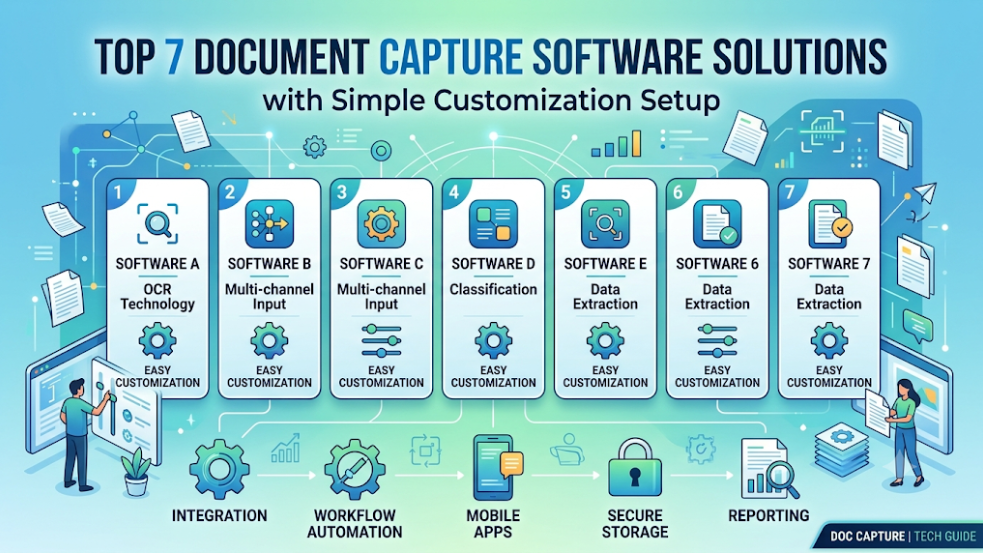
Below is an analysis of 7 document capture platforms engineered for high extraction precision and simple, low-code customization setup.
What Makes Customization “Simple” in Document Capture?
Traditional capture suites relied on rigid zone templates. If a vendor shifted a field three millimetres to the left, the extraction rule broke, requiring a developer to adjust the template coordinates. Modern capture engines handle layout variations dynamically, focusing setup efforts on business logic rather than pixel placement:
- Pre-Trained Skill Libraries: Pre-built extraction rules for common commercial document types (bills of lading, tax forms, purchase orders, etc.) that require no model training to begin using
- Visual Point-and-Click Training: Visual interfaces that let business analysts identify unextracted fields on a sample document to update the system’s extraction rules
- Native e-Invoicing Standards Parsing: Embedded parsing of structured digital file formats (PEPPOL, Factur-X, XML, etc.) to eliminate the need to build different intake processes for paper vs. digital invoices
- API-First Connectors: Pre-built connections to ERPs, CRMs, and cloud storage providers that reduce the infrastructure integration workload by default
Top 7 Solutions Ranked by Setup Simplicity and Technical Capability
1. ABBYY
Most document automation tools assume a single, predictable input channel. ABBYY’s document capture software is built for the opposite reality.
Documents arrive as emails, mobile photos, paper scans, and API uploads, often unpredictably and in over 200 languages. ABBYY ingests all of it through one unified system, whether that means monitoring a shared email folder, capturing an ID via smartphone in real time, or pulling batches from an SFTP folder for high-security environments like finance and healthcare. No separate setups are required for each channel.
- Setup and customization: Instead of building extraction rules from scratch, teams select pre-trained document skills directly from the ABBYY Marketplace. Customizing a model for non-standard documents uses a simple drag-and-drop interface where administrators label missing fields on sample files. The platform automatically adjusts its underlying machine learning algorithms without requiring manual code changes.
- Core capabilities: The point where documents enter a business is usually where automation breaks down first. A tool that only handles clean, structured PDFs forces staff to manually triage everything else. ABBYY’s document capture software processes structured, semi-structured, and fully unstructured documents, including contracts, handwritten notes, and utility bills, as inputs from day one. This closes the intake gap that most claims, lending, or onboarding workflows quietly rely on humans to fill.
2. Nanonets
Nanonets is designed specifically for fast onboarding and minimal manual intervention, utilizing intuitive deep-learning engines that adapt quickly to new layouts.
- Setup & Customization: Users can upload a handful of sample files, annotate required fields using a clean browser interface, and deploy an operational extraction model within hours. The platform features self-learning loops that continuously refine extraction accuracy based on handler corrections during regular review tasks.
- Core Capabilities: Nanonets is particularly strong for accounts payable and logistics documentation. Its native API architecture connects seamlessly with cloud accounting platforms, making it ideal for organizations looking for immediate setup without dedicated IT developer support.
3. Google Cloud Document AI
Google Cloud Document AI combines Google’s computer vision models with scalable cloud infrastructure, offering ready-to-use processors for standardized forms.
- Setup & Customization: For common document classes (such as receipts, tax records, and utility bills), Document AI provides specialized pre-trained processors that require zero setup. When custom field models are required, the Workbench tool allows teams to define schemas and train custom extractors using visual labeling tools with minimal training data.
- Core Capabilities: The platform scales effortlessly to process millions of pages per day. It integrates directly with Google Cloud services, making it a natural choice for organizations building cloud-native data pipelines that require low latency and high extraction throughput.
4. Tungsten Capture (Formerly Kofax)
Tungsten Capture is an enterprise-grade platform built for high-volume batch scanning, distributed intake, and complex central mailroom processing.
- Setup & Customization: While historically viewed as a heavy enterprise tool, modern iterations feature centralized administrative consoles that streamline workflow design. Administrators can configure ingestion channels, export rules, and validation scripts through graphical flowcharts rather than writing custom integration code.
- Core Capabilities: Its VirtualReScan (VRS) image enhancement engine cleans low-resolution scans, removes background noise, and auto-rotates pages prior to field extraction. It easily manages high-volume hardware scanners alongside incoming electronic files.
5. UiPath Document Understanding
UiPath embeds intelligent capture within an extended enterprise RPA software ecosystem.
- Setup & Customization: UiPath can be customized within the studio environment through visual drag-and-drop activities. Non-coders can design document processing automation using a combination of rule-based taxonomy templates and machine learning extractors in a generative manner without having to develop any backend processes.
- Core Capabilities: UiPath can be integrated within the broader enterprise-level robotic process automation ecosystem, thus providing a solution for the “last mile” in integration between disparate systems. The software provides the ability to have extracted data reviewed in a visual interface in UiPath Action Center before being routed to downstream systems, including legacy mainframes that do not have API access.
6. DocuWare
DocuWare’s document management and workflow are tightly integrated, boasting extensive capture capabilities that are embedded into the system.
- Setup & Customization: The system is designed with a web-based interface, where the majority of the configuration takes place. DocuWare’s guided procedures and wizards can be used to set up document capture processes, for example, designating specific email addresses where scans or digital files should be received, or setting up index fields and assigning them to relevant document classifications.
- Core Capabilities: DocuWare’s services include compliance capture modules, which are used to receive, process, validate, and archive electronic invoices sent via email using the Peppol, XRechnung, or ZUGFeRD international standards. The system can be integrated directly into the approval and archiving workflow for document records.
7. Amazon Textract
Amazon Textract is a developer-focused cloud service that automatically extracts text, handwriting, and structural tables from scanned files.
- Setup & Customization: Textract requires no model training for standard forms, tables, and identity documents. Customization is handled at the query level; users can pass natural language prompts (e.g., “What is the invoice total?”) to the API, and Textract isolates and returns the target value without requiring template definitions.
- Core Capabilities: Textract natively understands document geometry, reading complex tabular structures and key-value pairs out of the box. It offers a pay-as-you-go cloud architecture that seamlessly connects into AWS Lambda, S3, and database environments.
Technical Summary Matrix
| Platform | Primary Customization Method | Best Deployment Fit |
| ABBYY | No-code marketplace skills & visual feedback | High-complexity enterprise document intake |
| Nanonets | Fast browser-based annotation & auto-learning | Quick-deploy AP and logistics workflows |
| Google Cloud Document AI | Pre-built specialized processors & cloud Workbench | Cloud-native engineering architectures |
| Tungsten Capture | Visual administrative workflow consoles | High-volume batch scan operations & central mailrooms |
| UiPath Document Understanding | Drag-and-drop studio activities | End-to-end process automation across legacy software |
| DocuWare | Guided web administration & rule wizards | Integrated document management & e-billing workflows |
| Amazon Textract | Natural language API queries & schema-free extraction | Scalable AWS cloud infrastructure builds |
Selecting the Right Solution
When choosing document capture software, evaluate your team’s technical bandwidth alongside the nature of your inbound documents:
- For organizations seeking a pre-built skill library that requires virtually no software coding, ABBYY provides the fastest path to high-accuracy extraction.
- For teams looking to quickly handle digital transactions, DocuWare provides native compliance tools built directly for global e invoicing networks.
- If your capture initiative is part of a broader infrastructure modernization, API-first engines like Google Cloud Document AI or Amazon Textract allow developers to build flexible intake pipelines with minimal operational overhead.
Matching the platform’s setup methodology to your existing technical resources ensures a fast deployment, low maintenance overhead, and immediate reductions in manual data entry.
.
Frequently asked questions
How quickly can document capture software be deployed?.
Most modern platforms can go live in weeks, not months. Solutions with pre-trained skill libraries and low-code configuration allow business teams to select pre-built extraction models and customize them through visual interfaces without writing code. For teams with developer resources, API-first platforms can be integrated into existing data pipelines in a matter of days.
Can document capture software handle unstructured or handwritten documents?
Yes, but capability varies by platform. Tools built on intelligent document processing (IDP) can process structured, semi-structured, and fully unstructured inputs, including handwritten notes, contracts, and low-quality mobile photos, from day one. Platforms designed primarily for standardized forms may require additional custom model training to handle unstructured content reliably.
How does document capture software integrate with existing ERP and CRM systems?
Most enterprise-grade platforms offer pre-built API connectors to common ERP, CRM, and cloud storage systems. Many solutions also support integration with legacy systems that lack direct API endpoints, routing extracted data through robotic process automation (RPA) workflows. Some platforms include native connectors for compliance-critical environments, while cloud-native tools can connect directly into serverless functions, object storage, and database environments with minimal setup.




