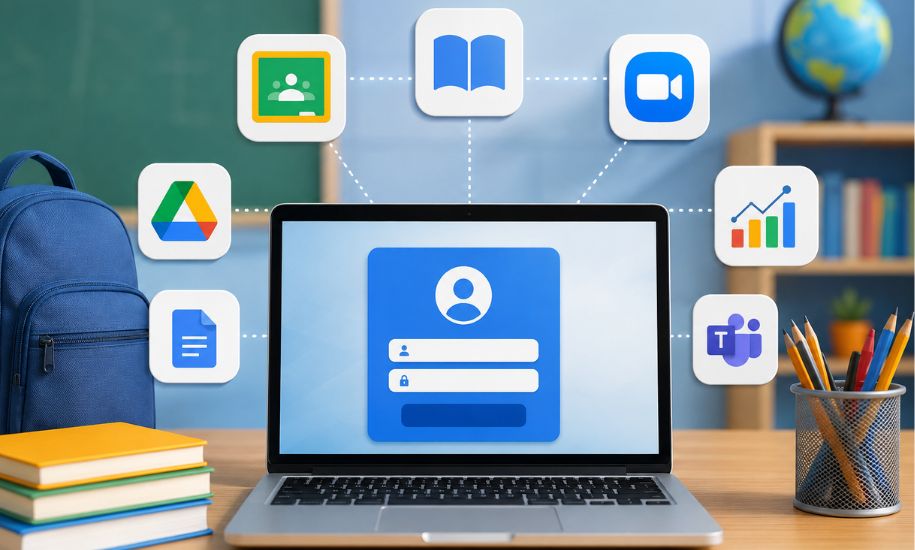
In today’s digital classrooms, students and teachers often rely on dozens of online tools for assignments, communication, assessments, and learning resources. Managing separate accounts for every platform can quickly become frustrating. clever. com addresses this challenge by providing schools with a centralized digital access system that connects users to educational applications through a single platform. Designed primarily for K–12 education, Clever combines single sign-on, rostering, identity management, and digital access tools to make technology easier to manage for schools and easier to use for students and teachers.
What Is Clever.com?
Clever is an education technology platform focused on simplifying how schools manage digital learning environments. Rather than requiring students and teachers to maintain separate credentials for every application, the service can provide centralized access to approved educational resources.
The platform connects school information systems with educational applications and helps synchronize information such as students, teachers, classes, and enrollments. This creates a more organized digital environment in which users can access the resources assigned to them without repeatedly dealing with different login systems.
For school districts, the value goes beyond convenience. Managing digital identities and application access manually can consume considerable time for IT departments. Clever is designed to automate many of these processes while giving administrators greater control over how educational technology is deployed.
How Does Clever Work?
The basic Clever model involves connecting a school’s student information system with supported educational applications. Once the appropriate systems are connected, relevant information can be synchronized between them.
For example, when a student joins a class, the corresponding information can be reflected in connected applications. If a teacher changes classes or a student leaves a school, updates can also be managed through the connected systems.
This type of automation reduces the need for administrators to repeatedly create accounts or manually upload class lists to individual applications. It can also help ensure that students receive access to the resources associated with their classes and roles.
Clever Portal and School Login
One of the best-known components of the platform is the Clever Portal. It provides a centralized place where students, teachers, and staff can find applications and resources made available by their school or district.
After signing in, users may see a personalized collection of educational tools. The exact applications available depend on the school’s technology environment and the permissions associated with the user’s account.
For students, this can make the school technology experience much simpler. Instead of remembering where every application is located, they can begin with one familiar portal and access the resources provided by their school.
The centralized approach can also benefit teachers, who may use the portal to reach classroom applications without managing numerous separate credentials.
Clever Single Sign-On
Single sign-on, commonly known as SSO, is a central feature of the platform. With SSO, one set of credentials can provide access to multiple supported educational services.
This is especially useful in schools where students may work with several digital applications during a single day. Without centralized authentication, remembering numerous passwords can become a significant obstacle.
By simplifying authentication, Clever SSO can reduce interruptions during lessons and potentially decrease the number of password-related support requests handled by school technology teams.
The system can also help administrators manage access according to user roles, allowing different resources to be made available to students, teachers, and other staff members.
Clever Rostering and Secure Sync
Another important part of the service is automated rostering. In education technology, rostering refers to maintaining accurate information about users, classes, teachers, and enrollments across different applications.
Clever’s rostering tools are designed to synchronize information from a school’s student information system with supported applications. This means administrators do not necessarily have to recreate class rosters separately for every digital service.
When school information changes, synchronization can help keep connected applications updated. This can be particularly valuable for large districts with thousands of students and numerous educational tools.
Automated rostering can save administrative time while also reducing the possibility of errors caused by repetitive manual data entry.
Clever Badges for Students
Younger students can sometimes find traditional usernames and passwords difficult to manage. Clever Badges are designed to make the login process more accessible for students who may not be comfortable typing complex credentials.
A badge can be scanned to help a student access a supported digital environment. This approach can be especially useful in elementary classrooms, where teachers may otherwise spend valuable lesson time helping students enter account information.
The feature is another example of how the platform attempts to adapt digital access to different age groups and classroom environments.
Clever for Students, Teachers, and Families
The platform serves several groups within the education ecosystem.
For students, the primary advantage is centralized access to school-approved applications. Instead of navigating multiple login systems, students can begin with the school’s Clever environment.
For teachers, the platform can make classroom technology easier to organize. Teachers can access supported instructional resources and, depending on the school’s configuration, provide students with appropriate digital tools.
For school administrators and IT teams, centralized identity and rostering capabilities can simplify account management and application deployment.
Families can also benefit indirectly because students have a more consistent way to reach their school-provided resources from compatible devices.
Clever Apps and Integrations
Clever is designed to operate as part of a broader education technology ecosystem rather than as an isolated application. It supports integrations with numerous educational services and school systems.
These integrations can allow applications to receive appropriate information about users and classes while providing a more seamless authentication experience.
Compatibility is important, however, because the exact tools available to a student depend on the applications selected and configured by their school or district. A resource available through one school may not appear in another school’s portal.
This means that students and parents should generally check with their school when they cannot find a particular application or resource.
Security and Privacy Considerations
Because the platform works with educational identities and school-related information, security and privacy are important considerations.
Clever describes its platform as providing identity management and security features intended to help schools control digital access. Depending on the configuration, schools can use authentication and access-management features to protect accounts and resources.
The company also states that districts have control over data sharing and emphasizes that its services are designed for educational use rather than advertising to students.
Schools and districts remain responsible for understanding their own technology policies, configuring permissions appropriately, and determining which applications should receive student information. Parents and educators with questions about data practices should review their school’s policies and the terms that apply to the services being used.
Benefits and Limitations of Clever
There are several potential advantages to using a centralized education platform. It can reduce password fatigue, simplify application access, automate roster management, and provide schools with a more consistent digital environment.
For large districts, automation may be particularly valuable because manually maintaining thousands of accounts and class lists can be difficult.
However, the experience is not identical for every user. Login problems can sometimes be related to a school’s configuration, an individual application, account permissions, or technical issues outside the central portal. Because Clever connects many different systems, troubleshooting may occasionally require assistance from a school administrator or technology department.
Is Clever.com Safe to Use?
Clever is built specifically around the needs of educational institutions and incorporates identity and access-management features. However, no online service should be considered completely risk-free.
The safest approach is for schools to maintain strong account policies, use available security controls, educate students about protecting credentials, and regularly review connected applications.
Students and parents should also remember that the resources displayed through the portal are generally determined by the school or district. If an application looks unfamiliar, contacting the school’s technology or administration team is a sensible step before using it.
Final Thoughts on Clever.com
Overall, clever. com represents an important part of the modern K–12 digital classroom by bringing authentication, application access, rostering, and identity management into a more centralized environment. Its tools can make everyday technology easier for students and teachers while reducing repetitive administrative work for schools. As educational institutions continue expanding their use of digital resources, platforms that simplify access and improve organization can play an increasingly valuable role. For readers looking to understand education technology and the services shaping digital classrooms, Insider Newz provides a useful place to explore more informative technology and education-focused content.