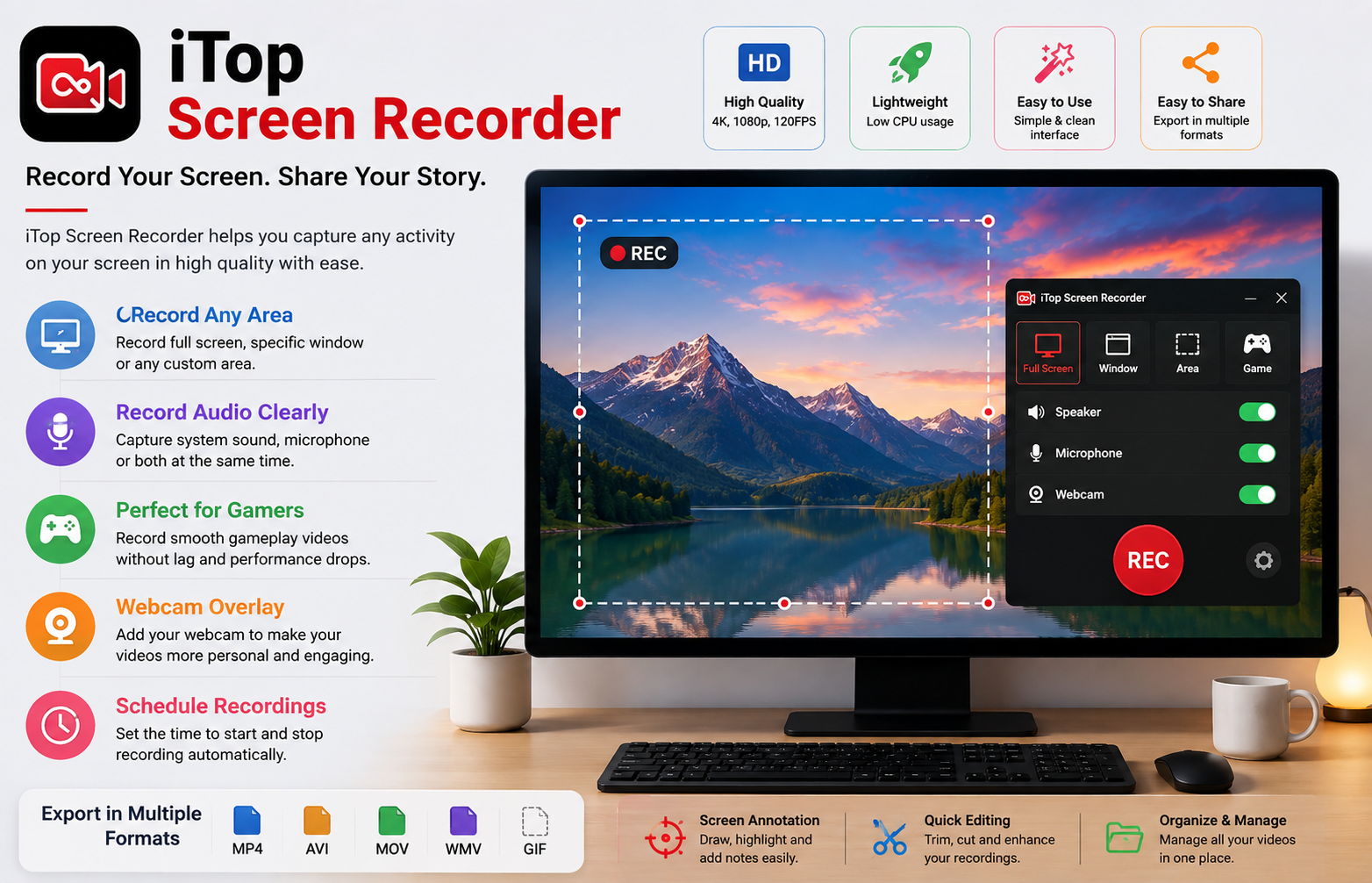
A computer screen can tell a story. It can show how an application works, demonstrate a complicated task, preserve an important online session, or capture an exciting gaming moment. However, explaining everything through text or screenshots is not always practical. Sometimes the easiest way to communicate is to record the entire process as a video.
This is where a dependable screen recorder becomes useful. Instead of taking several screenshots or writing long instructions, users can capture their activities and create a video that can be watched whenever needed. iTop Screen Recorder provides a convenient solution for people who want to record desktop activities for work, study, entertainment, or personal projects.
Why Screen Recording Has Become So Useful
The way people communicate with computers has changed significantly. Businesses conduct meetings online, students attend virtual classes, creators produce digital content, and gamers share their experiences through videos.
In all of these situations, visual information can be more effective than written instructions. A short recording can demonstrate an entire workflow from beginning to end.
For example, imagine that an employee needs to explain a complicated software procedure to a colleague. Instead of writing every step in an email, the employee can record the process and show exactly where to click and what to do. The same approach can be used for educational tutorials, product demonstrations, and technical guides.
A Practical Recording Solution
One of the main advantages of iTop Screen Recorder is its usefulness across different types of recording projects. A person does not need to be a professional video producer to understand the basic idea behind screen recording.
The software can be used to capture content displayed on a computer and create video footage that can later be saved, reviewed, edited, or shared.
This makes it suitable for users who want a straightforward recording experience rather than a complicated production environment.
Capture the Part of the Screen You Need
Recording everything visible on a monitor is not always necessary. In many situations, users only need a particular window, application, or section of their desktop.
A flexible screen recorder can make this easier by providing different capture options. Users can select the area that contains the important information while avoiding unrelated content.
This can be particularly helpful when preparing instructional videos. If a tutorial focuses on one application, there is no reason to show unnecessary desktop activity. A focused recording keeps viewers’ attention on the actual subject.
Turn Ideas Into Visual Tutorials
Written tutorials have their place, but some subjects are much easier to understand when demonstrated visually.
Suppose someone wants to teach beginners how to use photo-editing software. A written guide can describe menus and tools, but a video can show the entire procedure in real time. Viewers can see the cursor moving, settings changing, and results appearing on the screen.
With iTop Screen Recorder, creators can prepare this type of content by recording their computer activity. They can then use the footage as a complete tutorial or as raw material for a more advanced video project.
Improve Communication Between Teams
Remote work has created new communication challenges. Team members may be working from different locations and may not always have time for lengthy meetings.
Screen recordings can provide a simple way to communicate detailed information asynchronously. One employee can record a short explanation and send it to another team member. The recipient can watch the video when convenient.
This approach can be useful for explaining website changes, demonstrating software features, reviewing digital projects, or showing how a particular task should be completed.
Instead of exchanging multiple messages, a few minutes of video may provide all the necessary information.
Keep Important Online Information for Later
People often encounter useful information while browsing the internet. An online demonstration, presentation, software walkthrough, or personal research process may be difficult to reproduce later.
A screen recording can help users preserve information that they are allowed to record. This can be useful when reviewing material at a later time.
Students, researchers, and professionals can benefit from having visual references available when preparing their own work. However, users should respect copyright, privacy, and platform policies before recording or distributing third-party content.
Create Better Product Demonstrations
Businesses and freelancers often need to show customers how a digital product or service works. A video can make the presentation more engaging because customers can see the product in action.
For example, a software company can create a demonstration showing its interface and important functions. A freelancer can record a website walkthrough for a client. An online service provider can explain how customers can complete a particular process.
A screen recorder can therefore become part of a broader marketing or customer-support strategy.
Recording Gameplay and Creative Projects
Gaming is another popular reason for capturing desktop activity. Players may want to preserve memorable matches, create guides, review their strategies, or share entertaining moments.
Screen recording can also be useful for creative professionals. Designers, editors, and developers may record their workflows to create educational content or document how a project was developed.
When recording demanding applications or games, users should pay attention to system resources. Closing unnecessary programs and selecting suitable recording settings can help maintain a smoother experience.
Audio Makes Demonstrations More Complete
A video can show what is happening, but narration can explain why it is happening. This is why audio is an important part of many screen recordings.
For example, a trainer can speak while demonstrating a process. A gaming creator can provide commentary during gameplay. A teacher can explain each step of a lesson while the relevant information appears on screen.
Before starting a recording, users should check their microphone and audio settings. A quick test can prevent problems such as missing narration or excessively low volume.
Plan Before You Press Record
Good preparation can make recording much easier. Users should first decide what they want the audience to learn or understand.
A simple outline can prevent unnecessary pauses and help keep the video organized. It is also useful to remove unrelated applications from the desktop and close notifications that could interrupt the recording.
If the video includes sensitive information, users should carefully check the screen before recording. Private messages, passwords, personal documents, and other confidential information should never appear accidentally.
Review the Finished Video
The recording process does not end when the stop button is pressed. Reviewing the finished video is an important step.
Watch the recording from beginning to end and check whether the screen remains visible, the audio is understandable, and the important information is presented clearly. If necessary, unwanted sections can be removed with an appropriate video editor.
Keeping recordings organized also helps in the long term. Descriptive filenames and separate folders can make it easier to locate older projects.
Who Can Benefit From iTop Screen Recorder?
The usefulness of a screen recording application is not limited to one particular audience. Students can use it for learning projects, teachers can create demonstrations, and businesses can prepare training material.
Content creators can capture footage for videos, gamers can save gameplay, and technical teams can document software problems. Even everyday computer users may find recording helpful when they need to explain something to another person.
This wide range of applications makes screen recording a practical tool rather than something designed only for professional video creators.
Final Thoughts
Digital communication is becoming increasingly visual, and screen recording provides an effective way to share information through video. Instead of relying entirely on written explanations, users can demonstrate exactly what they see and do on their computers.
iTop Screen Recorder can be a useful choice for people who need to capture desktop activities for tutorials, education, business communication, technical demonstrations, gaming, or creative projects. Its practical approach allows users to turn everyday computer activity into useful video content.
Whether the goal is to teach a new skill, explain a software problem, demonstrate a product, or preserve an important workflow, a good screen recorder can make communication clearer and more convenient. With thoughtful preparation and responsible use, screen recording can become a valuable part of both personal and professional digital work.




