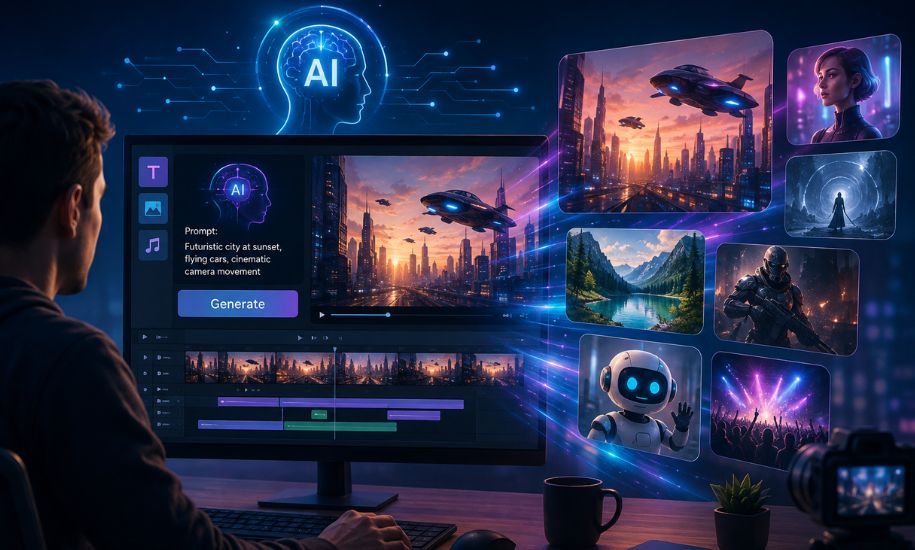
Creating high-quality video content traditionally requires cameras, editing software, voiceovers, music, and plenty of time. AI is changing that process by allowing creators to turn simple ideas into polished video clips with just a written prompt or an image. The VO3 AI Video Generator is one such platform, bringing several AI video-generation models and creative tools together in a single workflow. It is designed for beginners, marketers, social-media creators, storytellers, and anyone who wants to experiment with AI-generated video without mastering professional editing software.
What Is VO3 AI Video Generator?
VO3 AI is an AI-powered video creation platform that helps users generate and edit video content from text and images. Instead of relying on one generation model, the platform provides access to multiple AI models, allowing creators to choose different options depending on their project, quality requirements, and available credits.
The service supports workflows such as text-to-video and image-to-video, while additional features can help with voiceovers, scene creation, video editing, and extending generated footage.
One important distinction is worth understanding: VO3 AI is not the same thing as Google Veo 3. Veo 3 is Google’s AI video-generation model developed by Google DeepMind, while VO3 AI is a separate platform that can provide access to different AI models, including Veo-related models.
How Does the Platform Work?
The basic process is relatively straightforward. A creator starts with an idea, describes the desired scene through a prompt, selects an appropriate generation model, and creates the video.
For example, a user could describe a cinematic scene involving a city street at night, specify the camera movement, lighting, characters, atmosphere, and visual style, and then allow the selected model to interpret those instructions.
The quality of the final result depends heavily on the model, prompt, source image when applicable, and complexity of the requested scene. For more demanding projects, creating several short clips and assembling them together can be more practical than attempting to generate an entire story in one request.
Text-to-Video Generation
Text-to-video is one of the most useful features for people starting with AI filmmaking. Instead of recording a scene manually, users can describe what they want to see.
A good prompt can include details such as:
- Subject and environment
- Camera angle
- Camera movement
- Lighting
- Time of day
- Visual style
- Character actions
- Mood
- Dialogue or sound requirements
More specific descriptions generally provide better creative direction. However, AI-generated video can still produce unexpected details, so reviewing and regenerating clips is often part of the process.
This makes the technology particularly useful for short-form content, creative concepts, advertisements, product demonstrations, and experimental storytelling.
Image-to-Video: Turning Still Images Into Motion
Another valuable capability is image-to-video generation. Instead of starting from a blank prompt, users can provide an existing image and ask the AI to animate or transform it into moving footage.
This approach can be useful for photographers, designers, online sellers, and social-media creators. A product photograph, illustration, character design, or landscape can become the starting point for a short animated sequence.
Image-to-video also provides a useful way to maintain a particular visual identity. Rather than asking the AI to invent every visual element from scratch, the supplied image gives the model a reference point.
Multiple AI Models in One Workflow
One of the platform’s biggest advantages is its multi-model approach. Different AI video models have different strengths, and no single model is necessarily ideal for every project.
Depending on availability, users may be able to work with models such as Veo, Kling, Seedance, and Wan. Some are better suited to particular visual styles, motion requirements, audio capabilities, or budget considerations.
This model-selection approach gives creators more flexibility. A person working on a cinematic sequence may prefer a higher-end model, while someone producing large quantities of social-media clips may prioritize speed or lower credit consumption.
AI Audio and Voice Features
Modern AI video generation is increasingly moving beyond silent visuals. Supported models can generate or work with dialogue, sound effects, and environmental audio alongside video.
This can make a generated scene feel considerably more complete. A character speaking in a scene, background traffic, footsteps, weather sounds, or other ambient effects can help establish atmosphere without requiring every sound to be recorded separately.
Voiceover tools can also be useful when producing explainers, advertisements, educational videos, or social-media content.
However, creators should still review generated audio carefully. Pronunciation, timing, dialogue quality, and synchronization can vary depending on the model and generation.
Multi-Scene Video Creation
Creating a longer video from one AI generation is not always realistic. A better approach is often to divide a project into individual scenes.
A typical workflow might involve:
- Developing the overall story.
- Breaking it into short scenes.
- Generating each scene separately.
- Reviewing character and visual consistency.
- Extending or regenerating weak clips.
- Arranging the successful clips in an editor.
- Adding voice, music, and final adjustments.
This approach gives creators greater control over pacing and storytelling.
Some AI platforms, including VO3 AI, are also developing features intended to simplify this process by combining generation and editing within the same environment.
Who Can Benefit From It?
The technology has applications well beyond entertainment.
Social-Media Creators
Short AI-generated clips can be useful for TikTok, Instagram Reels, YouTube Shorts, and other short-form platforms.
Marketers and Businesses
Businesses can experiment with product demonstrations, promotional concepts, advertisements, and branded visual content without organizing a complete traditional video shoot for every idea.
YouTube Creators
AI-generated scenes can complement narration, educational content, storytelling, commentary, and other video formats.
Storytellers and Filmmakers
Writers and independent filmmakers can use generated clips to visualize ideas, test scenes, create concepts, or experiment with cinematic styles.
E-Commerce Sellers
Product images can potentially be transformed into more engaging promotional footage, helping sellers create visual material for online campaigns.
Advantages and Limitations
The biggest advantage is convenience. A creator can move from an idea to a visual concept without owning professional filming equipment or learning complicated editing software.
The multi-model approach is another benefit because it gives users more choices within one platform. Image-to-video tools, audio capabilities, and editing features can also make the overall workflow more efficient.
There are limitations, however. AI-generated videos can contain visual inconsistencies, unnatural movements, incorrect objects, imperfect text, or problems with character continuity. Complex scenes may require several attempts before producing a satisfactory result.
Credit consumption is another factor to consider. Different models can require different numbers of credits, particularly when using more advanced generation engines. Therefore, users should understand the platform’s current credit system before beginning a large project.
VO3 AI vs. Google Veo 3
The similar names can cause confusion, but the distinction is simple.
Google Veo 3 is an AI video-generation model created by Google DeepMind. It is known for generating video with native audio capabilities and a strong emphasis on realism, physics, and prompt adherence.
VO3 AI, on the other hand, is a broader video-generation platform that brings multiple models and creative functions together.
For someone researching AI video tools, understanding this difference is important. The platform can act as a convenient environment for experimenting with different models, while Veo 3 refers specifically to Google’s underlying technology.
Is VO3 AI Worth Trying?
For creators who want an accessible way to experiment with AI video, the platform offers an interesting combination of generation, model selection, image animation, audio capabilities, and editing tools.
It is particularly attractive for people who want to produce short visual content without building a traditional production workflow. At the same time, expectations should remain realistic. AI video generation is still an iterative creative process, and the first result is not always the final result.
The best experience comes from treating AI as a creative assistant rather than a complete replacement for human direction. Strong ideas, carefully written prompts, scene planning, editing, and quality control still make a significant difference.
For readers interested in practical technology, creative tools, and emerging digital trends, Insider Newz will continue to cover the technologies changing how modern content is created.




