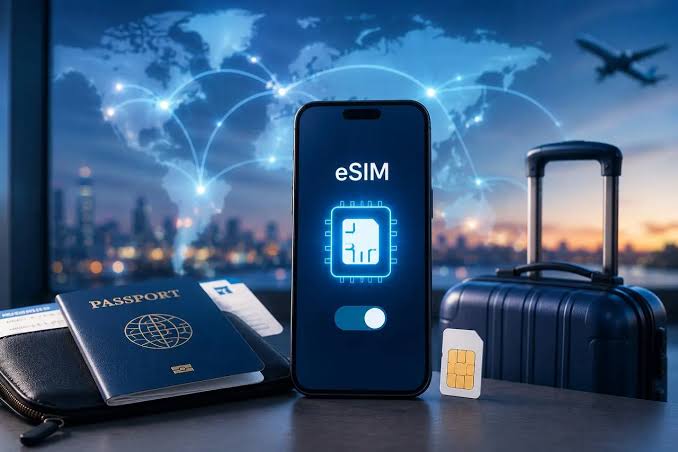
If you have booked an international trip recently, you have probably wondered how to stay connected without paying shocking roaming bills or hunting for a local SIM card at a foreign airport. That single question has quietly pushed millions of travelers toward one modern solution, and it is the reason so many people are now asking a very simple but important question: what is eSIM, and why is everyone in the travel world suddenly talking about it?
An eSIM is more than just a tech upgrade. For travelers, it is a passport-sized piece of connectivity freedom baked directly into your phone. No plastic card. No SIM tray. No waiting in line at a kiosk in a language you do not speak. In this in-depth guide, we will break down exactly how eSIMs work, why they have become the go-to choice for global travelers, how to set one up in minutes, and how to pick the right plan for your next journey.
Whether you are a digital nomad living out of a backpack, a family planning a European summer, or a first-time flyer heading to Dubai, this guide is written to give you the clarity you need before you tap “install.”
What Is eSIM? A Simple, Human Explanation
An eSIM, short for embedded SIM, is a small chip built directly into your smartphone, tablet, smartwatch, or laptop. Unlike the traditional plastic SIM card you have to slide into a tray, an eSIM is soldered into the device at the factory. Instead of swapping physical cards to switch carriers, you simply download a digital profile from your chosen mobile provider.
Think of it like this. A physical SIM is like a house key you carry in your pocket. Lose it, damage it, or forget it at home, and you are locked out. An eSIM is like a smart lock on your phone that lets you download a new key over the internet whenever you need one. You can hold multiple keys at once, switch between them in seconds, and never worry about losing the physical card.
For travelers, this is a genuine game-changer. Instead of buying a new SIM card in every country, you can activate a local or regional data plan before you even leave home. By the time your plane lands, your phone is already connected to a local network, ready for maps, translations, Uber rides, and WhatsApp calls with family.
How Does an eSIM Actually Work?
The technology behind eSIM is elegantly simple. Your device contains a small, rewritable chip called an eUICC (embedded Universal Integrated Circuit Card). This chip can store multiple carrier profiles at once, and you can switch between them through your phone’s settings.
Here is the process in plain language:
- You choose a mobile carrier or travel eSIM provider.
- The provider sends you a QR code or activation link.
- You scan the code with your phone’s camera.
- Your phone downloads the carrier profile.
- The eSIM is activated and ready to use, often within minutes.
There is no physical exchange, no shipping, no waiting for a courier. Everything happens digitally, which is why eSIMs are ideal for last-minute travel decisions or spontaneous border crossings.
Most modern smartphones can store between five and ten eSIM profiles at once, though only one or two can be active at any given time. This means you can keep your home network active for calls and texts while using a local travel eSIM for data abroad, saving you from ever paying international roaming charges.
eSIM vs Physical SIM: What Is Really Different?
To fully appreciate why eSIMs are such a big deal for travelers, it helps to compare them side by side with traditional physical SIM cards. The differences are not just cosmetic. They influence how you travel, how you communicate, and how much money you spend on connectivity.
Size and Physical Design
A traditional SIM card, even in its smallest nano form, still requires a dedicated tray inside your phone. That tray takes up valuable internal space that could otherwise be used for a bigger battery, better cooling, or improved water resistance. An eSIM eliminates the tray entirely. Some newer phone models, especially the latest iPhones sold in the United States, no longer have any SIM tray at all.
Activation Process
With a physical SIM, activation usually means visiting a store, showing identification, and waiting while a clerk sets up your line. With an eSIM, activation is done from your couch, your hotel room, or even the back of a taxi. You scan a QR code, and you are online. This difference alone has saved travelers countless hours during trips.
Switching Between Carriers
Physical SIMs make switching carriers a physical act. You have to buy a new card, eject the old one, and swap them in and out. This gets tedious when you visit multiple countries in a single trip. eSIMs let you store multiple carrier profiles digitally and switch between them with a few taps in your settings menu. No fumbling with tiny ejector pins, no risk of dropping your SIM at an airport.
Security and Loss Protection
If someone steals your phone, a physical SIM can be removed and used in another device. An eSIM cannot be physically extracted, which makes it significantly harder for thieves to hijack your number or bypass two-factor authentication. For travelers moving through crowded markets, transit hubs, or unfamiliar cities, this extra layer of security is quietly reassuring.
Environmental Impact
Every physical SIM card produced requires plastic, packaging, printed instructions, and shipping. Multiply that by hundreds of millions of cards each year, and the environmental footprint becomes significant. eSIMs cut all of that out. If you care about sustainable travel, this is a small but meaningful choice.
Why eSIMs Are Perfect for International Travel
The travel industry has embraced eSIM technology faster than almost any other consumer sector, and for good reason. Every pain point that travelers used to face with international connectivity is solved or reduced by eSIM.
No More Shocking Roaming Charges
Traditional roaming plans from home carriers are notoriously expensive. A single week abroad on a standard international plan can cost more than a nice dinner in Paris. Travel eSIMs offer prepaid data plans at a fraction of the price, often for less than a fancy coffee per day.
Instant Connectivity When You Land
There is a specific kind of anxiety that hits when your plane touches down in a foreign country and your phone displays “No Service.” With an eSIM activated in advance, that moment simply does not happen. Your phone connects to the local network as soon as you turn off airplane mode, and you can immediately call a rideshare, message your host, or navigate to your hotel.
Keep Your Home Number Active
One of the smartest features of eSIM is the ability to run two lines simultaneously. Your home number stays active for important calls and text messages, including verification codes from banks and social media. Meanwhile, your local eSIM handles all your data usage at local rates. You get the best of both worlds without swapping anything.
Perfect for Multi-Country Trips
If your trip involves visiting several countries, a regional eSIM can cover the entire journey with a single plan. Whether you are backpacking through Southeast Asia, road-tripping across Europe, or hopping between Gulf states, one regional eSIM often covers 30 or more countries under a single subscription.
No Language Barrier at Purchase
Buying a physical SIM in a foreign country often means navigating unfamiliar paperwork, showing your passport, and hoping the salesperson speaks your language. eSIMs are purchased and activated in English (or your preferred language) through apps and websites you already trust.
Which Devices Support eSIM in 2026?
The list of eSIM-compatible devices has grown dramatically in recent years, but not every phone supports the technology. Before you buy an eSIM plan for your trip, make sure your device is on the compatible list.
iPhones with eSIM Support
Apple has been a strong supporter of eSIM technology. Every iPhone from the iPhone XS and later supports eSIM, and iPhone 14 and newer models sold in the United States are eSIM-only, meaning they have no physical SIM tray at all. This includes the iPhone 15, iPhone 16, and iPhone 17 lineups.
Android Phones with eSIM Support
Most flagship Android phones released after 2020 support eSIM. This includes Google Pixel 3 and later, Samsung Galaxy S20 and later, most Galaxy Fold and Flip models, and recent flagships from OnePlus, Motorola, Oppo, and Xiaomi. However, some regional variants of Android phones, especially those sold in certain Asian markets, still lack eSIM support. Always check your specific model number before buying a plan.
Tablets, Smartwatches, and Laptops
Many iPads support eSIM, particularly the cellular versions of iPad Pro, iPad Air, and iPad Mini. Samsung Galaxy Tab and Google Pixel tablets also offer eSIM in many models. On the wearable side, most modern Apple Watches, Samsung Galaxy Watches, and Google Pixel Watches with cellular capability use eSIM technology. Some Windows laptops from Microsoft, HP, Lenovo, and Dell also come with eSIM support for travelers who need connectivity on the go.
The quickest way to check compatibility on any device is to open your settings and search for “eSIM” or “add cellular plan.” If the option appears, your device supports it.
How to Activate an eSIM: A Step-by-Step Walkthrough
Setting up an eSIM sounds technical, but it is genuinely one of the simplest things you can do on your phone. Here is a walkthrough that works for most modern devices.
Step 1: Confirm your device is unlocked. Your phone must be carrier-unlocked to use an eSIM from a different provider. If you bought your phone directly from Apple, Samsung, or Google, it is likely already unlocked. If you bought it on a carrier contract, you may need to request unlocking first.
Step 2: Choose an eSIM provider. Compare providers based on the country you are visiting, the amount of data you need, and the length of your trip. Companies like Holafly, Airalo, Nomad, and Ubigi are among the most popular options for international travelers.
Step 3: Purchase and receive your QR code. After paying for your plan, the provider will email you a QR code or send it through their app. Save it somewhere accessible even without internet, such as a screenshot on your phone or a printout.
Step 4: Open your phone’s settings. On an iPhone, go to Settings, then Cellular, then Add eSIM. On an Android device, the exact path varies but is usually under Settings, then Connections or Network, then SIM Manager or Mobile Networks.
Step 5: Scan the QR code. Point your phone’s camera at the QR code. Your phone will detect it and prompt you to install the eSIM profile. Follow the on-screen instructions.
Step 6: Label your lines. Give your new eSIM a clear label, such as “Travel” or the country name. This makes it easier to identify when switching between lines.
Step 7: Set data preferences. Choose which line to use for cellular data and which to use for calls and texts. Most travelers set the new eSIM as their data line and keep their home number for texts.
Step 8: Enable data roaming for the eSIM only. This is crucial. Turn on data roaming for the travel eSIM but keep it off for your home line to avoid accidental charges.
That is it. You are now connected to a local network abroad without ever touching a physical SIM card.
Choosing the Right Travel eSIM Provider
Not all eSIM providers are equal. Some focus on specific regions, some offer unlimited data, and some are cheaper but come with slower speeds after a certain daily limit. Here are the key factors to compare when picking a provider for your trip.
Coverage and Countries
Start by making sure the provider actually covers the countries on your itinerary. Regional plans that cover Europe, Asia, or the Americas as a whole are often more cost-effective than buying single-country plans for each stop.
Data Amount and Speed
Some plans offer a fixed number of gigabytes for the trip, while others offer unlimited data with fair-use caps. If you plan to use Google Maps heavily, stream music, or make video calls, unlimited plans usually offer better peace of mind. Also check whether 5G is included where available.
Hotspot and Tethering Support
If you travel with a laptop or tablet that does not have its own eSIM, you may want to share your phone’s connection through a personal hotspot. Not every provider allows tethering, so verify this before purchasing.
Customer Support
Language barriers, time zones, and unfamiliar networks make good customer support especially valuable when traveling. Look for providers that offer 24/7 chat support in multiple languages.
Trusted Names in Travel eSIM
Among the widely recognized names in the travel eSIM space, Holafly has built a strong reputation for offering unlimited data plans in more than 190 countries, with a straightforward setup process and dedicated customer support around the clock. Other reliable providers include Airalo, which offers pay-as-you-go regional bundles, and Nomad, which is popular with digital nomads for its flexible pricing.
The right choice depends on your travel style. Short trips with heavy social media use tend to favor unlimited providers. Longer trips with lighter usage often work well with pay-per-gigabyte plans.
Common Myths About eSIMs (And the Truth)
As with any new technology, eSIMs have collected their share of misconceptions. Let us clear up the most common ones so you can travel with confidence.
Myth 1: eSIMs are only for tech-savvy users. In reality, setting up an eSIM is often easier than inserting a physical SIM card. If you can scan a QR code, you can install an eSIM.
Myth 2: eSIMs are less secure than physical SIMs. The opposite is actually true. Because eSIMs cannot be physically removed and swapped, they are much harder for thieves to exploit. Many banking apps and enterprise security systems prefer eSIM for exactly this reason.
Myth 3: You can only use one eSIM at a time. Most modern phones can store multiple eSIM profiles and switch between them in seconds. Some devices even let you have two active lines simultaneously, one for calls and one for data.
Myth 4: eSIMs use more battery. There is no meaningful difference in battery consumption between eSIM and physical SIM. Your battery life depends much more on screen brightness, streaming habits, and network signal strength than on which type of SIM you use.
Myth 5: eSIMs are more expensive. Travel eSIMs are almost always cheaper than international roaming plans from your home carrier. In many cases, a week of data in Europe costs less than a single day of traditional roaming.
Potential Drawbacks of eSIMs You Should Know
To give you a balanced picture, here are a few honest limitations to keep in mind. eSIMs are not perfect for every situation, and understanding the drawbacks helps you make informed choices.
Device dependency. If your phone is lost, stolen, or damaged, transferring an eSIM to a new device can be more complicated than simply moving a physical SIM. Some providers require you to request a new QR code, which can take time.
Not universal yet. In some countries and on some carriers, eSIM support is still limited. If you are heading somewhere off the beaten path, double check that a compatible network exists at your destination.
Setup requires internet. To install an eSIM, you need an active internet connection, usually through Wi-Fi. This means you should set up your travel eSIM before leaving home or while connected to airport Wi-Fi upon arrival.
Learning curve for older users. For travelers who are not used to smartphones, the initial setup can feel unfamiliar. A quick guide from the provider or a family member usually solves this within minutes.
These are real considerations, but for the vast majority of travelers, the benefits far outweigh these small challenges.
eSIMs and the Future of Global Connectivity
The trajectory of eSIM adoption points toward a future where physical SIM cards may disappear entirely. Apple has already released iPhones without SIM trays in the United States. Google, Samsung, and other manufacturers are following the same path in more markets each year. Regulatory bodies in Europe, North America, and parts of Asia are also encouraging carriers to support eSIM by default.
For travelers, this means the friction of international connectivity will continue to shrink. Imagine landing in a new country and having your phone automatically suggest the best local eSIM plan based on your itinerary. That kind of seamless experience is closer than most people realize.
At the same time, technologies like 5G, satellite connectivity, and iSIM (integrated SIM built into the phone’s processor) are pushing the boundaries even further. In a few years, staying connected across borders may feel as automatic as switching between Wi-Fi networks at home.
Practical Tips for Choosing the Right eSIM Plan
Before you finalize your travel eSIM purchase, run through this quick mental checklist. It has helped countless travelers avoid overpaying or underestimating their data needs.
Estimate your daily data use. Casual use with maps, messaging, and social media usually consumes between 500 MB and 1 GB per day. Heavy use with video streaming can easily hit 3 GB or more. Choose your plan accordingly.
Match the plan length to your trip. Do not buy a 30-day plan for a 5-day trip unless the price genuinely justifies it. Most providers offer flexible durations from 3 days to unlimited monthly subscriptions.
Check refund and cancellation policies. Travel plans change. Look for providers that offer partial refunds or unused data credit if your trip is cut short.
Read recent user reviews. Coverage quality can change with carrier partnerships. Look for reviews from the last three to six months for the most accurate picture of network performance.
Buy before you fly. Setting up your eSIM at home while connected to trusted Wi-Fi is far easier than doing it during a hectic airport arrival. It also gives you time to reach customer support if anything goes wrong.
Frequently Asked Questions About eSIMs
Do I need to remove my physical SIM to use an eSIM? No. Most eSIM-compatible phones support Dual SIM mode, which means you can run your physical SIM and eSIM at the same time. This is ideal for keeping your home number active while using a travel eSIM for data.
Can I use one eSIM plan across multiple devices? Usually no. An eSIM profile is tied to a single device. If you want connectivity on your phone and tablet, you typically need separate plans or use your phone’s hotspot to share data.
What happens to my eSIM when I get a new phone? Most providers allow you to transfer your eSIM to a new device by issuing a new QR code. Some phones also support direct eSIM transfer during the initial setup process.
Can I use my WhatsApp number with a travel eSIM? Yes. WhatsApp is linked to your registered phone number, not your active SIM. Even if you switch to a travel eSIM, your WhatsApp continues to work with your original number as long as you have internet access.
Are eSIMs safe to use on public Wi-Fi? The eSIM itself does not change your Wi-Fi security. The same rules apply: use a VPN when connecting to unfamiliar public networks to protect your data.
Do eSIMs work with prepaid or postpaid plans? Both. Travel eSIMs are almost always prepaid, but many home carriers also offer eSIMs on postpaid contracts.
Final Thoughts: Why eSIMs Are Redefining Travel Connectivity
Understanding what is eSIM is no longer optional for the modern traveler. It is quickly becoming as essential as knowing how to check into your flight online or book an Airbnb. The shift from physical to embedded SIMs represents more than a technical upgrade. It reflects a bigger change in how we experience travel itself. Less friction, more freedom, and connectivity that feels invisible in the best possible way.
Whether you are chasing the Northern Lights in Iceland, exploring temples in Kyoto, or working remotely from a beach in Bali, an eSIM gives you the confidence to stay connected without stress. You avoid the roaming charges, skip the confusing kiosks, and land in every destination with your phone already prepared for the adventure. For travelers who value time, savings, and simplicity, it is genuinely hard to go back to plastic SIM cards once you have experienced the eSIM way of life.
If you found this guide useful, be sure to explore more travel tips, destination guides, and connectivity hacks on Star Storyline, where we help modern explorers travel smarter, safer, and more connected than ever before.




